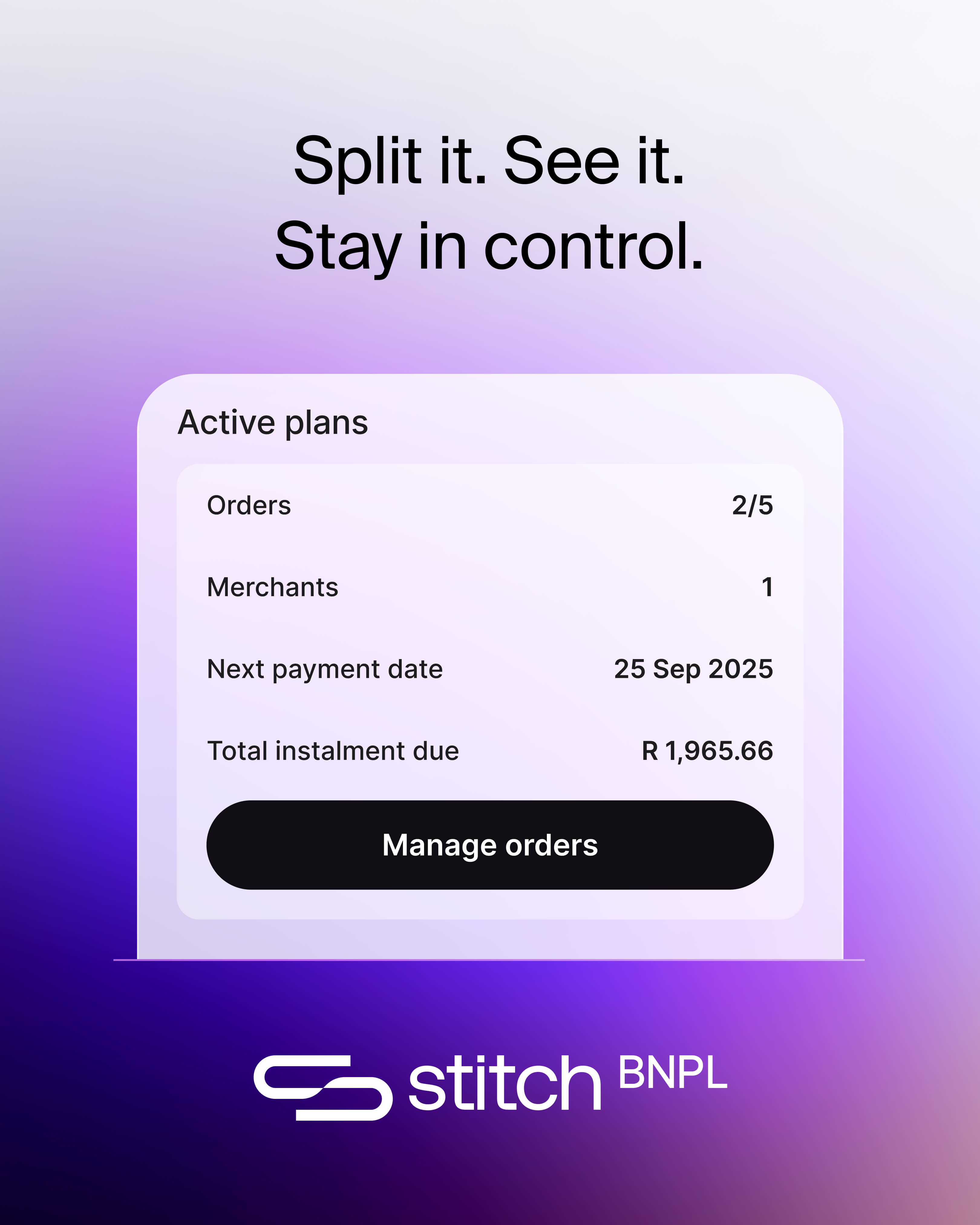
Everything you need to promote, integrate, and support Stitch Pay Later — from placement strategy to ready-to-use marketing assets.
About this guide
This guide shares recommendations across marketing channels for communications that can be used to introduce and promote Stitch Pay Later to your customers.
Build awareness
Ensure customers know that Stitch Pay Later is now available as a payment method and how it differs from previous options.
Answer questions
Provide clear, ready-to-use answers for when customers encounter Stitch Pay Later for the first time — in FAQs, support pages, and live chat.
Drive adoption
Promote the benefits of interest-free instalments across your site, emails, SMS, and social channels to encourage usage.
What's inside
01
Promotion
Where to place Pay Later on your site — footer badges, product page widgets, and checkout — to drive conversion at every stage.
02
Widget setup
Step-by-step instructions for adding the Pay Later widget to your storefront, with guides for Shopify and other platforms.
03
Marketing assets
Approved logos, email and SMS templates, and social media posts — everything you need to go to market from day one.
04
Customer FAQs
Pre-written answers for common customer questions, ready to paste into your FAQ page, support docs, or live chat.
01 — Promotion
Place Pay Later where it drives conversion
Introduce Stitch Pay Later at every stage of the purchase journey — from browsing to payment. Each placement reinforces availability and removes hesitation.
Footer
Footer & payment methods
Display the Stitch logo alongside Visa, Mastercard, and EFT in your site footer and payment method overview — this reinforces Pay Later availability at every pageview.
Give Pay Later the same visual weight as card logos — same row, same size, same treatment.
Product page
Pay Later widget on product pages
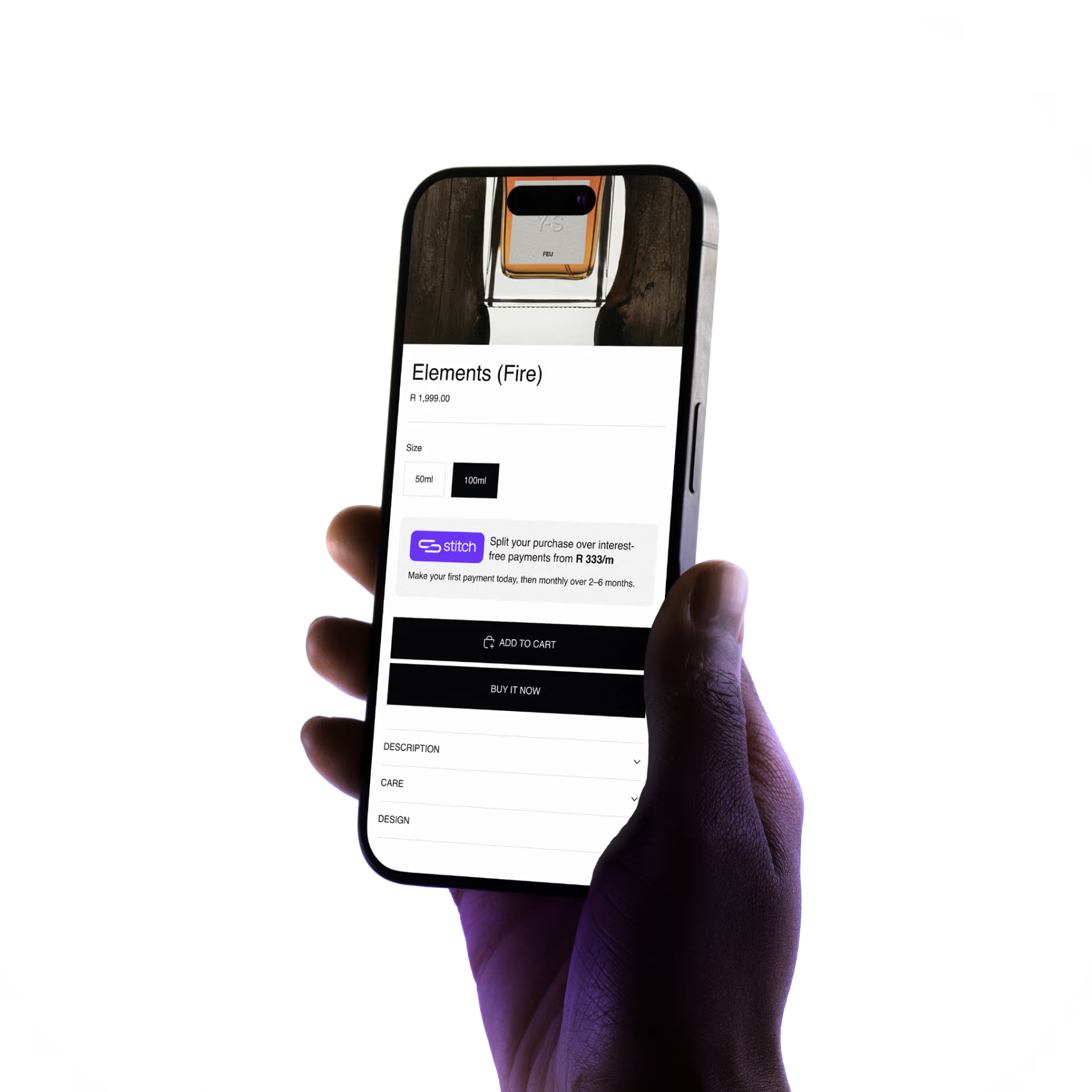
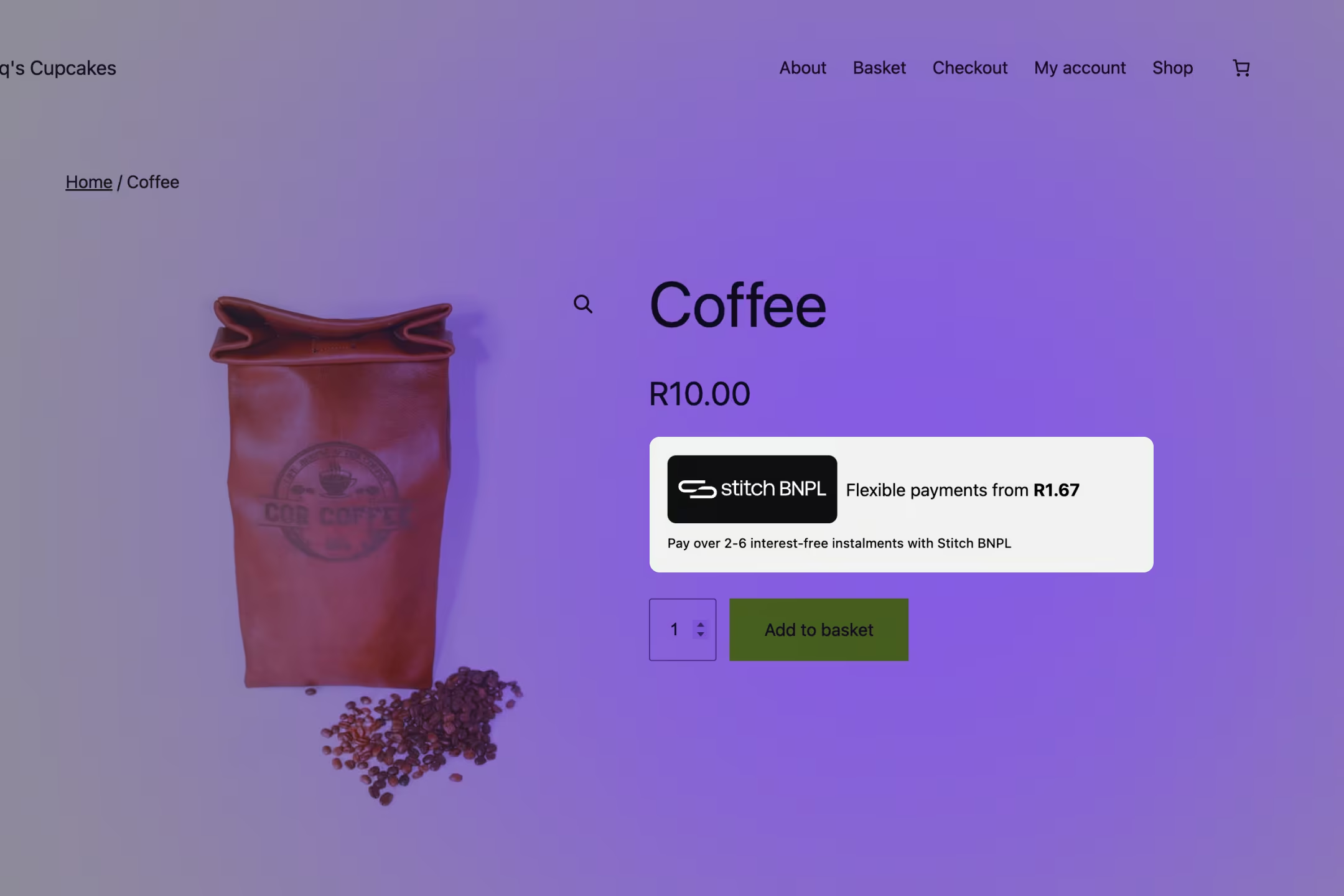
Add the Pay Later widget displaying the instalment pricing just below your product price. It turns a sticker-shock moment into an "I can afford this" moment — right at the point of decision.
Never bury the Pay Later widget in the description tab. It must be visible without scrolling, next to the price.
Running / Road
Aerorun Performance
★★★★★ 4.3 · 246 reviews
R 2 499,00
Split your purchase over interest-free payments from R 416/m
Make your first payment today, then monthly over 2–6 months.
Add to cart
02 — Widget setup
Add the Pay Later widget to your store
Embed the Pay Later widget on your product pages in minutes. Choose your platform below for specific instructions.
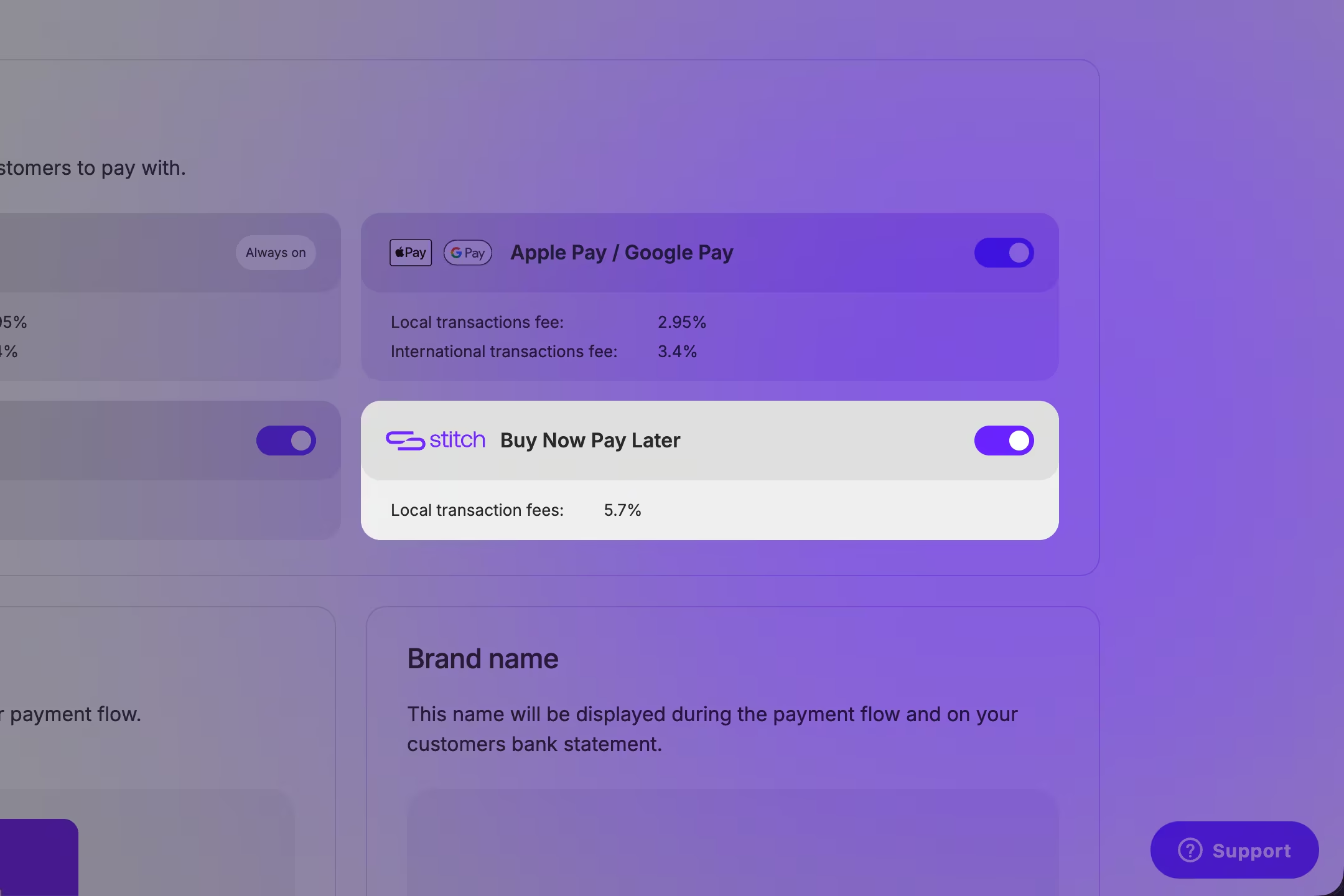
Enable Pay Later in Stitch Express
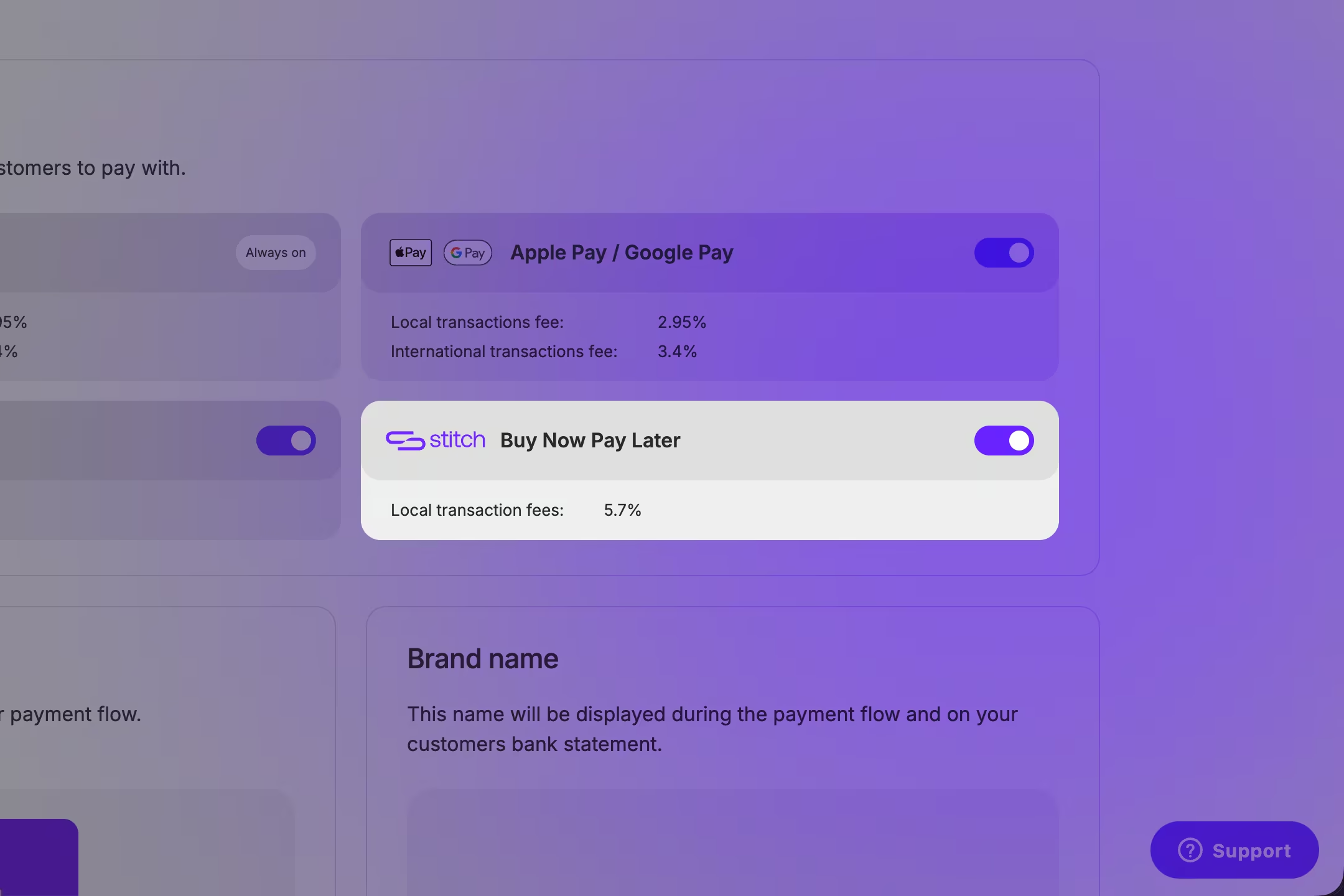
Log in to your Stitch Express dashboard. Navigate to Payment methods and toggle on Stitch Pay Later. Click Next and accept the terms and conditions.
Install the Stitch Express Checkout plugin
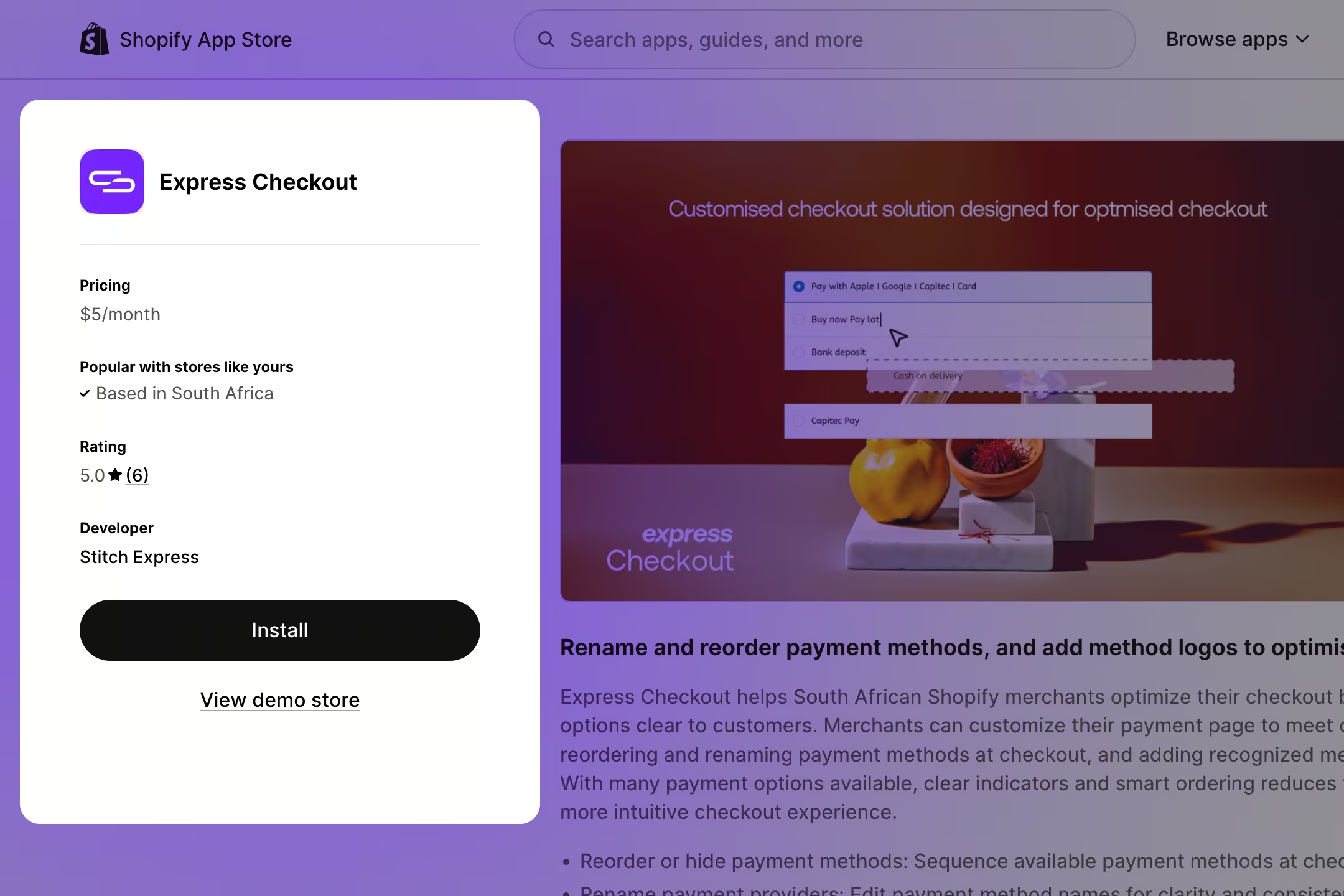
Open your Shopify dashboard in another tab. If you haven't already installed the Stitch Express Checkout plugin, do so now from the Shopify App Store.
Add the Pay Later widget to your store
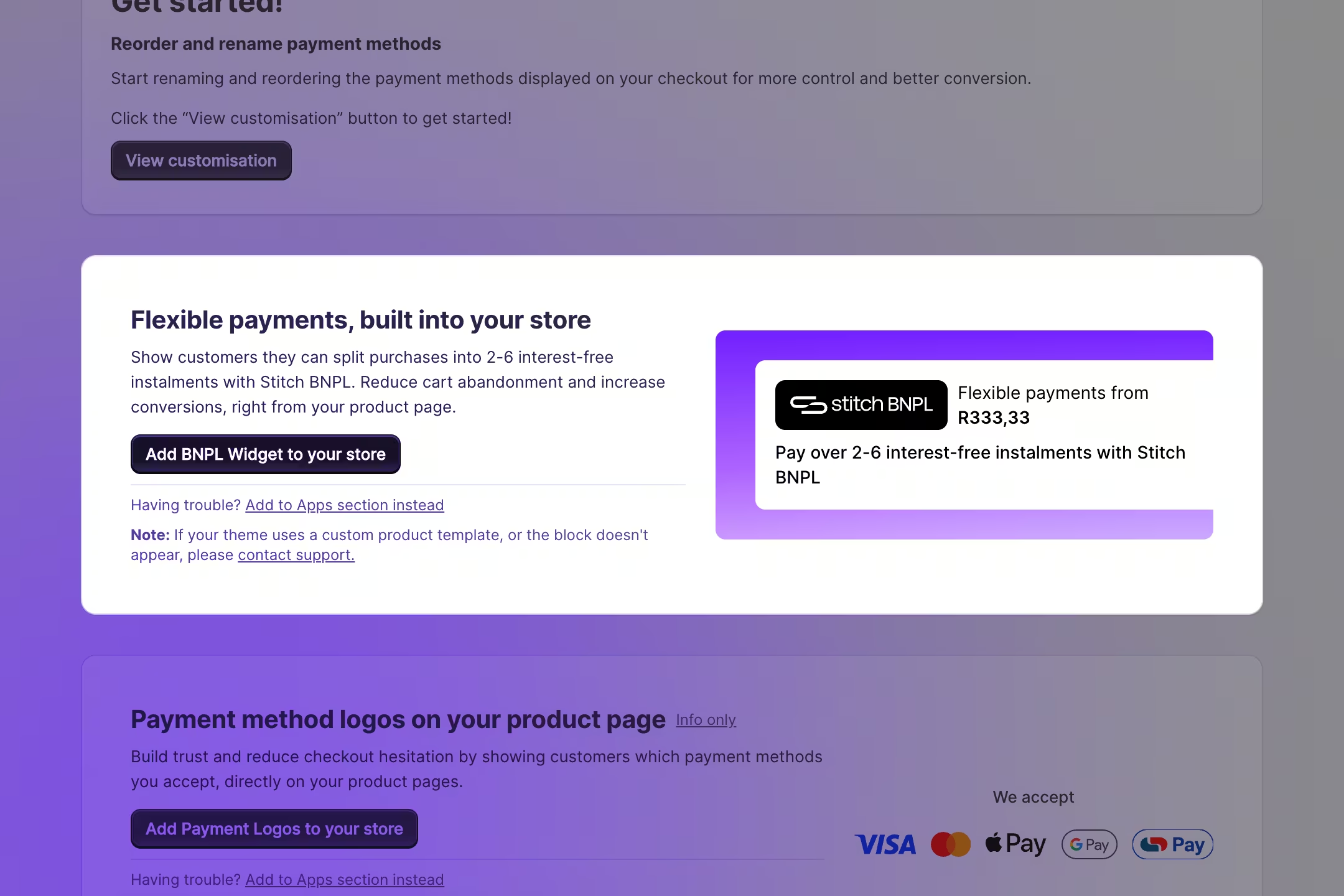
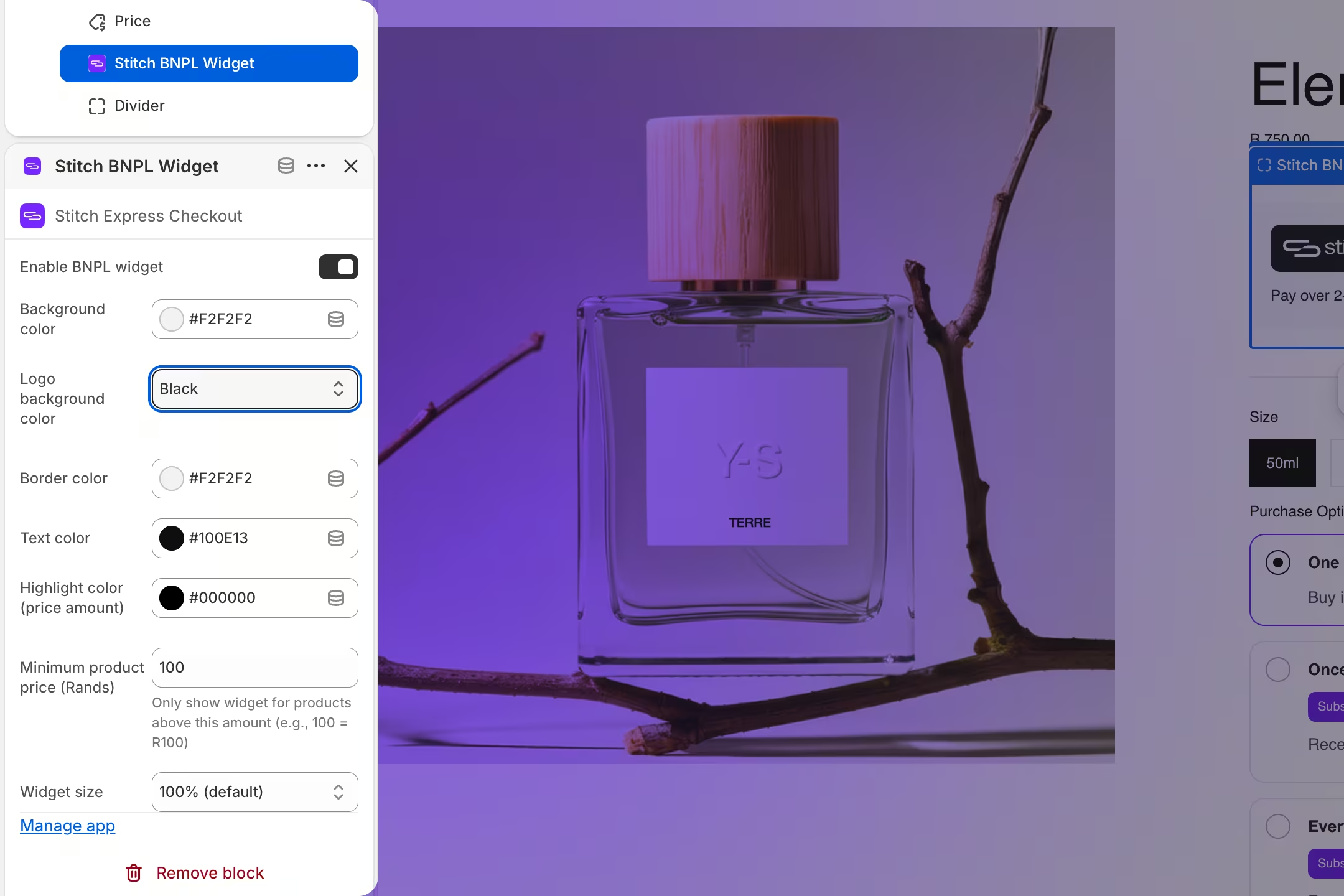
In the Stitch Express Checkout plugin, click Add Pay Later widget to your store. If you have multiple product templates, repeat this for each one. Drag and drop the widget just below the product price.
Customise and save
Customise the widget with your colours and theme design. Save your changes, then navigate to your storefront and test the Pay Later widget to confirm it's working correctly.
1
Find your product template
In your Shopify admin, go to Online Store → Themes → ⋯ → Edit code. Open your product template — typically main-product.liquid, product-template.liquid, product-information.liquid, or product.liquid. Search for {{ product.price }} to find the right location.
Check for separate mobile/desktop sections
Many Shopify themes render product details twice — once for desktop and once for mobile — and use CSS classes like mobile-hidden, desktop-hidden-sm, or hidden-xs to toggle visibility.
Before adding the widget, search your product template for these class names. If your theme uses this pattern, you'll need to add the widget snippet in both the desktop and mobile sections. Use a different element id for each (e.g. stitch-bnpl-widget and stitch-bnpl-widget-mobile).
If you only add it to the desktop section, the widget won't appear on mobile devices.
2
Add the widget code below the price
Liquid
<!-- Add this below your product price. If your theme has separate desktop/mobile sections, add it inside BOTH sections with different element ids. --><divid="stitch-bnpl-widget"></div><script>
window.StitchBNPLConfig = {
mountSelector: '#stitch-bnpl-widget',
price: {{ product.selected_or_first_available_variant.price | divided_by: 100.0 }},
minimumAmount: 100,
logoBg: 'purple',
width: '100%',
locale: 'en-ZA',
currency: 'ZAR'
};
</script><scriptsrc="https://express.stitch.money/js/bnpl-widget.v1.js"></script><script>
document.addEventListener('variant:change', function(e) {
if (e.detail?.variant)
window.StitchBNPL.setPrice(e.detail.variant.price / 100);
});
</script>
Shopify stores prices in cents — R1,200 is stored as 120000. Always use divided_by: 100.0 in the Liquid tag, and divide by 100 in the variant:change listener.
3
Save and preview
Click Save and open your store. The widget should appear below the product price with no console errors. Switch variants to confirm the instalment amount updates correctly. After confirming on desktop, test on a mobile device (or use your browser's responsive mode) to verify the widget is visible on smaller screens too.
My theme has separate desktop and mobile sections
Some Shopify themes duplicate the product price and buy box — one block for large screens and another for phones — then hide the irrelevant block with CSS. The widget must live in both blocks, or it will only show on one screen size.
How to identify the pattern
In your product template, search for classes like mobile-hidden-sm, desktop-hidden, hidden-xs, or visible-xs.
Look for two separate blocks that both contain {{ product.price }} — one wrapped in a desktop-only container, one in a mobile-only container.
How to add the widget to both sections
Add the widget snippet below the price in the desktop section using id="stitch-bnpl-widget".
Duplicate the snippet in the mobile section with a unique id such as id="stitch-bnpl-widget-mobile" and update mountSelector to match.
Load the widget script once per page (after both snippets). Each visible section mounts its own widget instance when that layout is active.
Test on desktop and mobile
Preview on desktop, then resize your browser or open the page on a phone.
Confirm the widget appears below the price in both layouts and updates when you switch variants.
Prerequisites
Stitch Express plugin installed and activated with your Client ID and Client Secret already configured.
Open Stitch Express settings
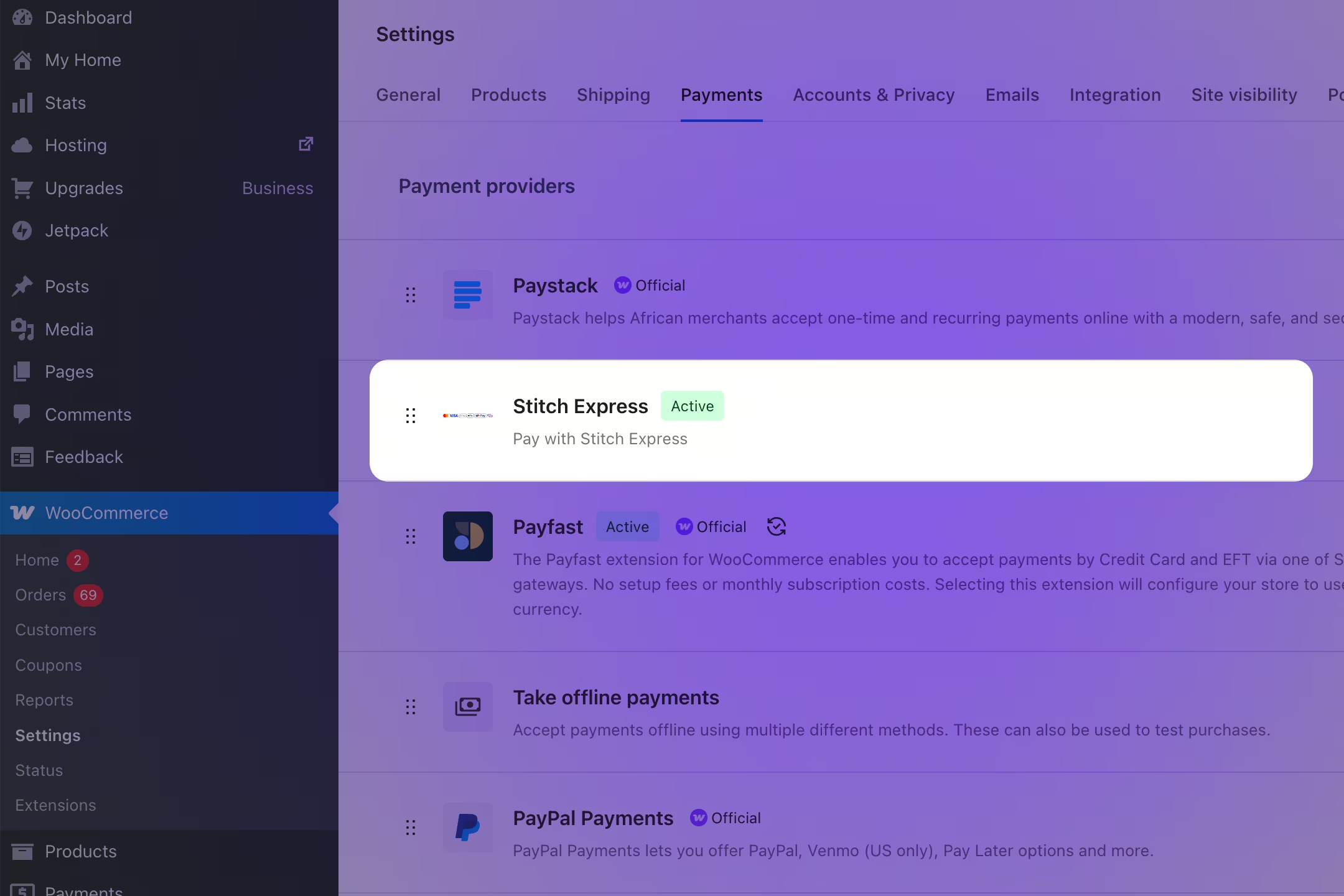
From your WordPress admin, go to WooCommerce → Settings → Payments → Stitch Express.
Enable the Pay Later widget
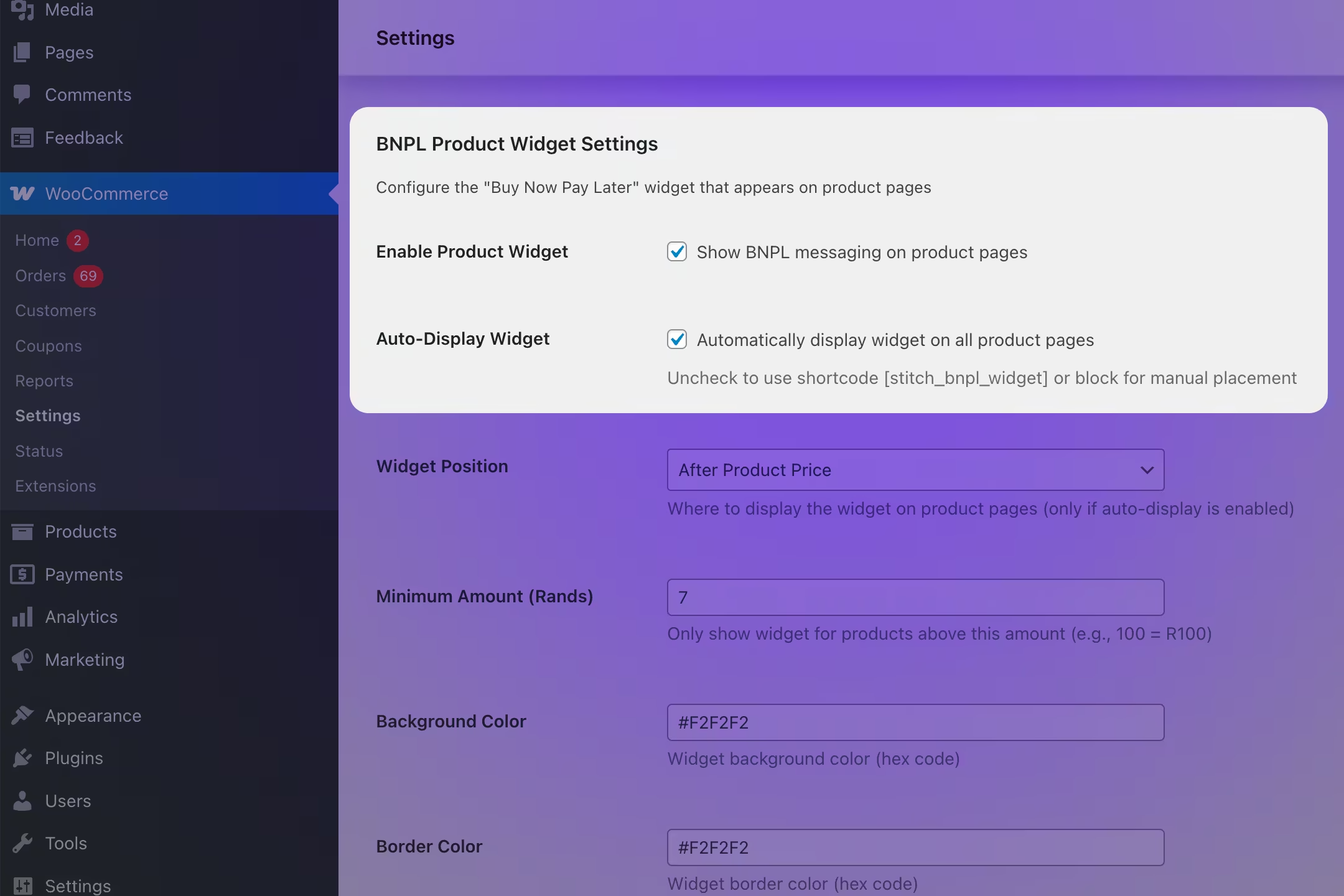
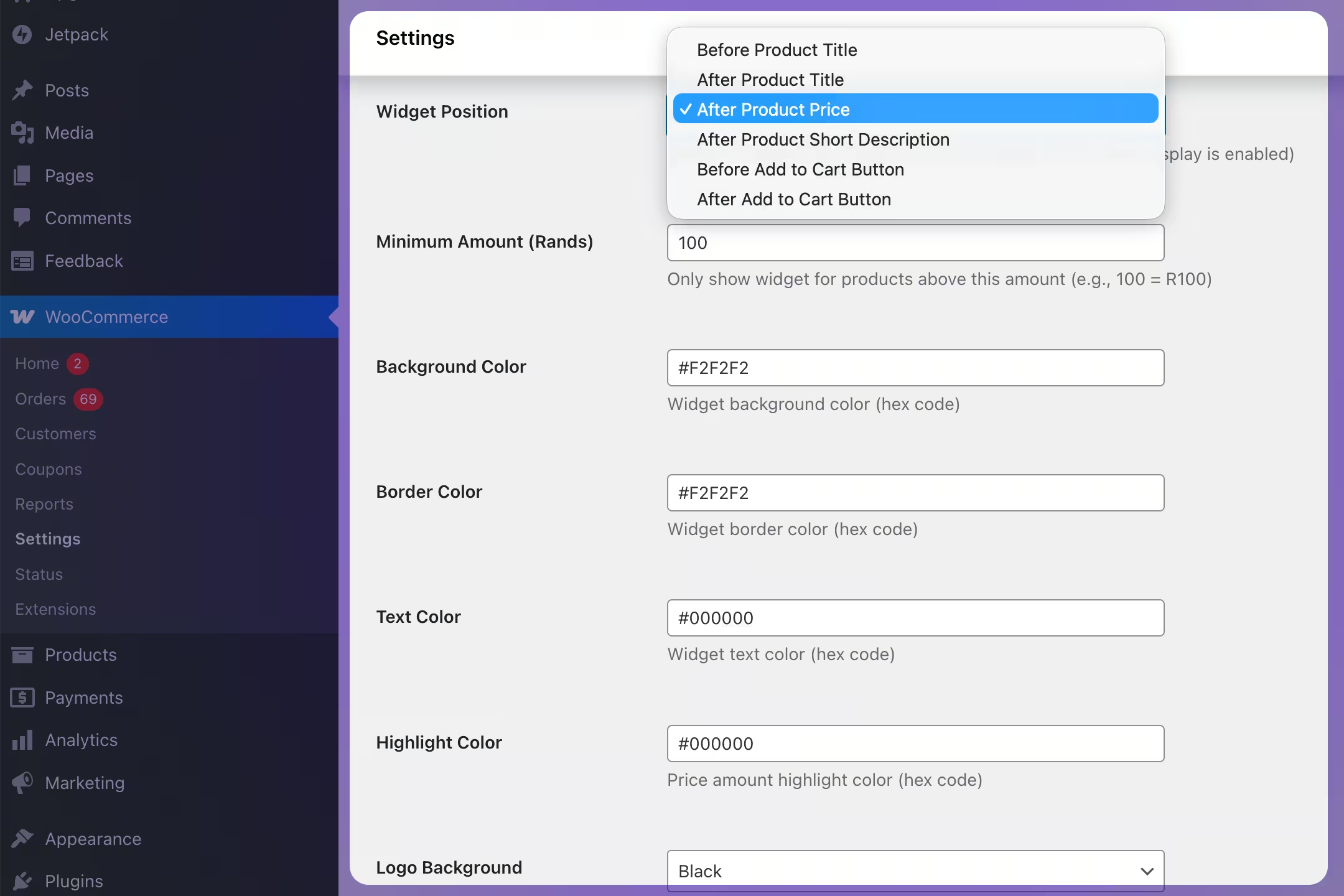
Scroll down to Pay Later Product Widget Settings. Tick Enable Product Widget and Auto-Display Widget to show Pay Later messaging on all product pages automatically. If you'd prefer manual placement, leave Auto-Display unchecked and use the shortcode [stitch_bnpl_widget] instead.
Customise the widget
Configure the widget to suit your store. You can adjust the position (e.g. "After Product Price"), set a minimum product price in Rands, and style the background, border, text, highlight colours, logo background, and width.
Save and verify
Click Save changes, then visit a product page on your storefront to confirm the widget is displaying correctly.
1
Add the widget HTML
Place this snippet below your product price element. Replace 1999.99 with the actual product price in Rands from your platform's template engine.
Hide the widget when the price is below this value
logoBg
'purple'
Logo colour variant: 'purple', 'white', or 'black'
backgroundColor
'#F2F2F2'
Widget container background colour
textColor
'#100E13'
Primary text colour
highlightColor
'#000000'
Instalment amount colour
width
'100%'
Widget width (CSS value)
installments
6
Number of instalments displayed
locale
'en-ZA'
Locale for number and currency formatting
currency
'ZAR'
ISO 4217 currency code
Widget doesn't appear
Product price must be above R100 (the minimumAmount).
The widget mount element must exist in the DOM before the script loads.
Open the browser console and check for JS errors.
Wrong amount (Shopify)
Shopify stores prices in cents — R1,200 = 120000.
Always use divided_by: 100.0 in your Liquid tag.
Add the variant:change listener and divide by 100 there too.
Widget shows R0.00
The data-price-selector isn't finding the price element.
Inspect the page source and verify the selector matches exactly.
Try the manual StitchBNPLConfig.price approach instead.
Doesn't update on variant change
On Shopify: add the variant:change listener after the script loads.
On other platforms: call setPrice() in your variant-change handler.
Confirm the price is in Rands, not cents.
Widget shows on desktop but not mobile
Your Shopify theme likely has separate desktop and mobile product sections, with CSS classes that hide one version on each screen size. The widget needs to be added to both sections.
How to check: In your product template, search for classes like mobile-hidden-sm, desktop-hidden, hidden-xs, or visible-xs. If the widget div is inside a desktop-only block, it will be hidden on mobile.
How to fix: Add a second widget instance inside the mobile section using a unique id (e.g. stitch-bnpl-widget-mobile) with its own mountSelector. See Themes with separate mobile layouts in the Shopify custom theme tab for step-by-step instructions.
03 — Marketing assets & copy
Everything you need to go to market
Approved logos, ready-to-send email and SMS templates, and social posts — all on-brand and available from day one.
Use only the provided logo files — do not recreate, stretch, or recolour.
Minimum clear space on all sides = the height of the logo's "S" icon.
Use the violet logo on light backgrounds and white logo on dark backgrounds. Use the black logo if all other 3rd party logos also appear in black.
Launch announcement
Introduce Stitch Pay Later to your customer base. Announce availability, explain how it works, and drive traffic to your store.
inbox · today
A
[Your brand] <hello@yourbrand.co.za>
to [Customer] · Today, 10:23 AM
Now you can pay with Stitch Pay Later!
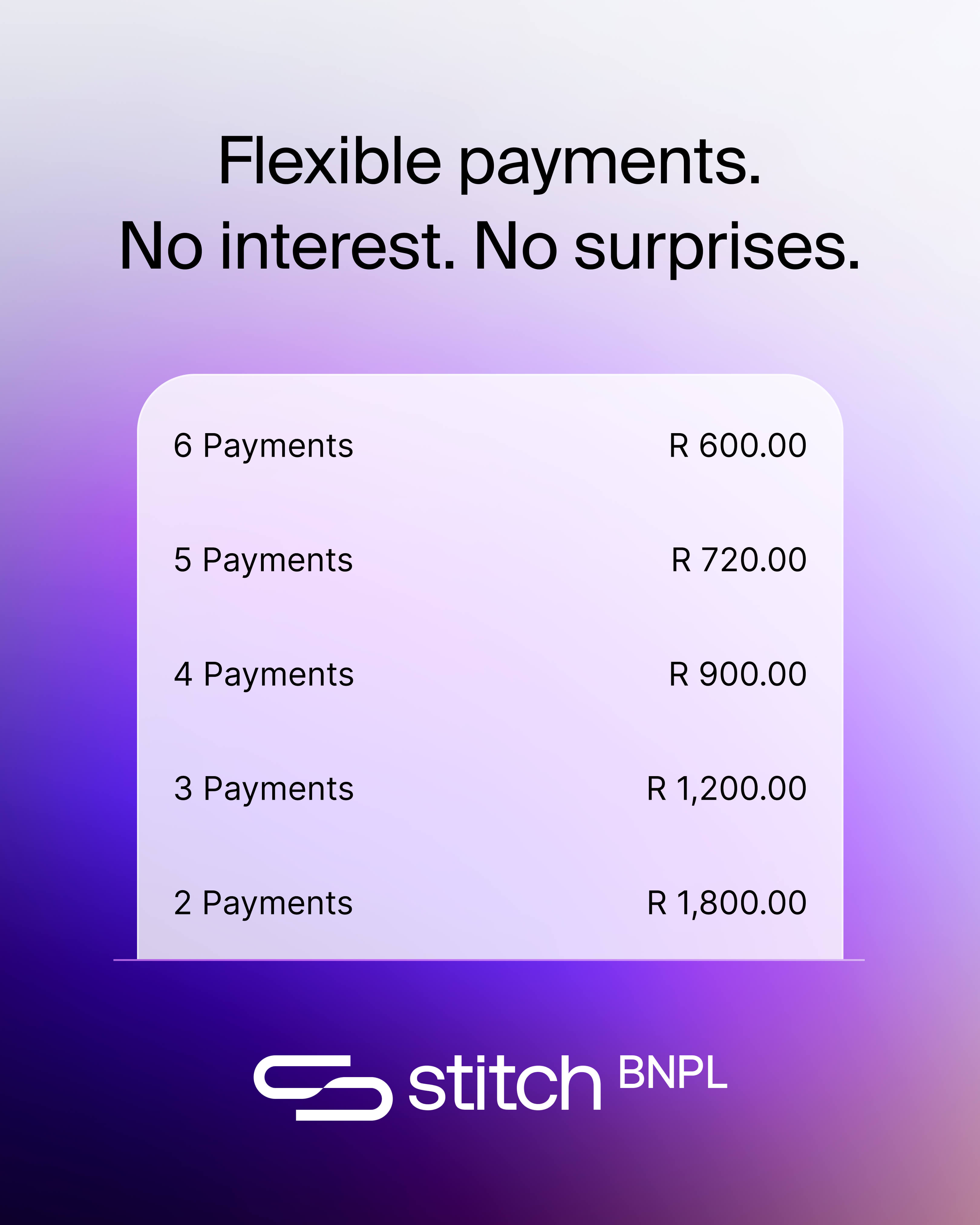
Flexible payments. No interest. No surprises.
Hi [Name],
We've got exciting news — you can now shop and pay over time with Stitch Pay Later. Split your order into 2–6 equal monthly instalments, always interest-free.
No interest. No hidden fees. Just flexible, honest payments.
— The [Your brand] Team
Follow-up / reminder
Re-engage customers who haven't tried Pay Later yet. Reinforce the value proposition and simplify the next step.
inbox · 3 days ago
A
[Your brand] <hello@yourbrand.co.za>
to [Customer] · 3 days ago
Have you tried Stitch Pay Later?
Split it. See it. Stay in control.
Hi [Name],
Just a reminder — you can now pay over time with Stitch Pay Later. You deserve to shop without compromise. Split your order into 2–6 easy monthly instalments, always interest-free.
It only takes a moment to get started at checkout.
Win back customers who left items in their cart. Remind them they can split the cost with interest-free instalments.
inbox · 1 hour ago
A
[Your brand] <hello@yourbrand.co.za>
to [Customer] · 1 hour ago
Your cart is waiting — and you can split the cost
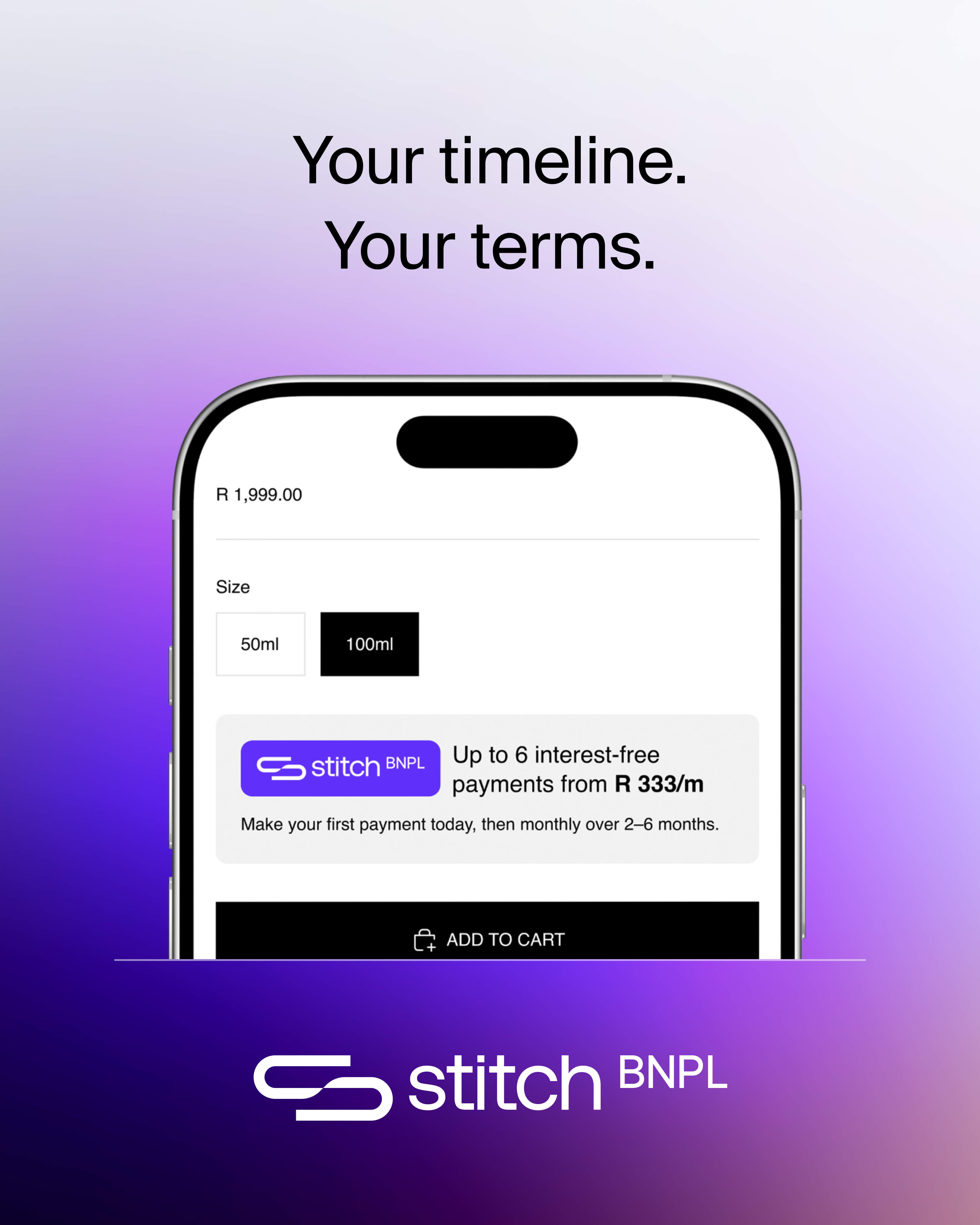
Your timeline. Your terms.
Hi [Name],
You left something behind — and it's still waiting for you. The good news? You can now split the cost into 2–6 equal monthly instalments with Stitch Pay Later.
Each answer includes suggested copy you can use directly in your own FAQs, support pages, or live chat responses.
Stitch performs a soft eligibility check when you create your profile — this doesn't affect your credit score. You'll complete a quick selfie verification and your spending limit will be set based on your credit profile. No separate application or hard inquiry is required.
Suggested copy
"A spending limit is set based on your credit profile — this check won't affect your credit score."
Yes — completely. You pay exactly the order total, split into equal instalments. No interest, no finance fees, and no penalty for paying on time.
Suggested copy
"Stitch Pay Later is always interest-free. You pay exactly what you see in your cart — split into equal monthly instalments."
There are no sign-up or admin fees. If a scheduled payment is missed, a late fee may apply — this is always displayed clearly before you confirm your order. Stitch will notify you before retrying any failed payment.
Suggested copy
"There are no sign-up or admin fees. If a payment is missed, a late fee may apply — you'll always see this clearly at checkout."
You choose to pay in 2–6 equal monthly instalments. The first instalment is paid at checkout; remaining instalments are charged automatically each month. You can view and manage all your plans in the Stitch Pay Later dashboard.
Suggested copy
"Choose to pay in 2–6 equal monthly instalments — the first is paid today, and the rest are charged automatically."
The widget is hidden for orders below R100 by default (this threshold is configurable). There's no fixed maximum — your approved spending limit is set when you first sign up for Stitch Pay Later at checkout.
Suggested copy
"Stitch Pay Later is available on eligible orders above R100. Your approved spending limit is set when you first sign up at checkout."
Stitch will notify you via email and SMS if a payment fails, and will retry after a grace period. You can update your card details in the dashboard at any time. A late fee applies if the payment remains unresolved. Importantly, merchants are paid in full at the time of purchase — Stitch absorbs the risk of missed payments.
Suggested copy
"If your payment fails, we'll let you know right away and give you time to sort it out before retrying."
Start by raising the issue with the merchant through their standard returns or complaints process. If it's unresolved, contact Stitch Pay Later support — they can pause future instalments while the dispute is under review.
Suggested copy
"For any issues with your order, contact us first. If needed, Stitch Pay Later support can pause your upcoming payments while the issue is being reviewed."
Stitch Pay Later can be used across hundreds of stores in South Africa, with more added daily. Customers can view all their active repayment plans and browse participating stores directly from their Stitch Pay Later dashboard.
Suggested copy
"Stitch Pay Later can be used across hundreds of stores in South Africa, with more added daily. Log in to your dashboard to manage all your plans."